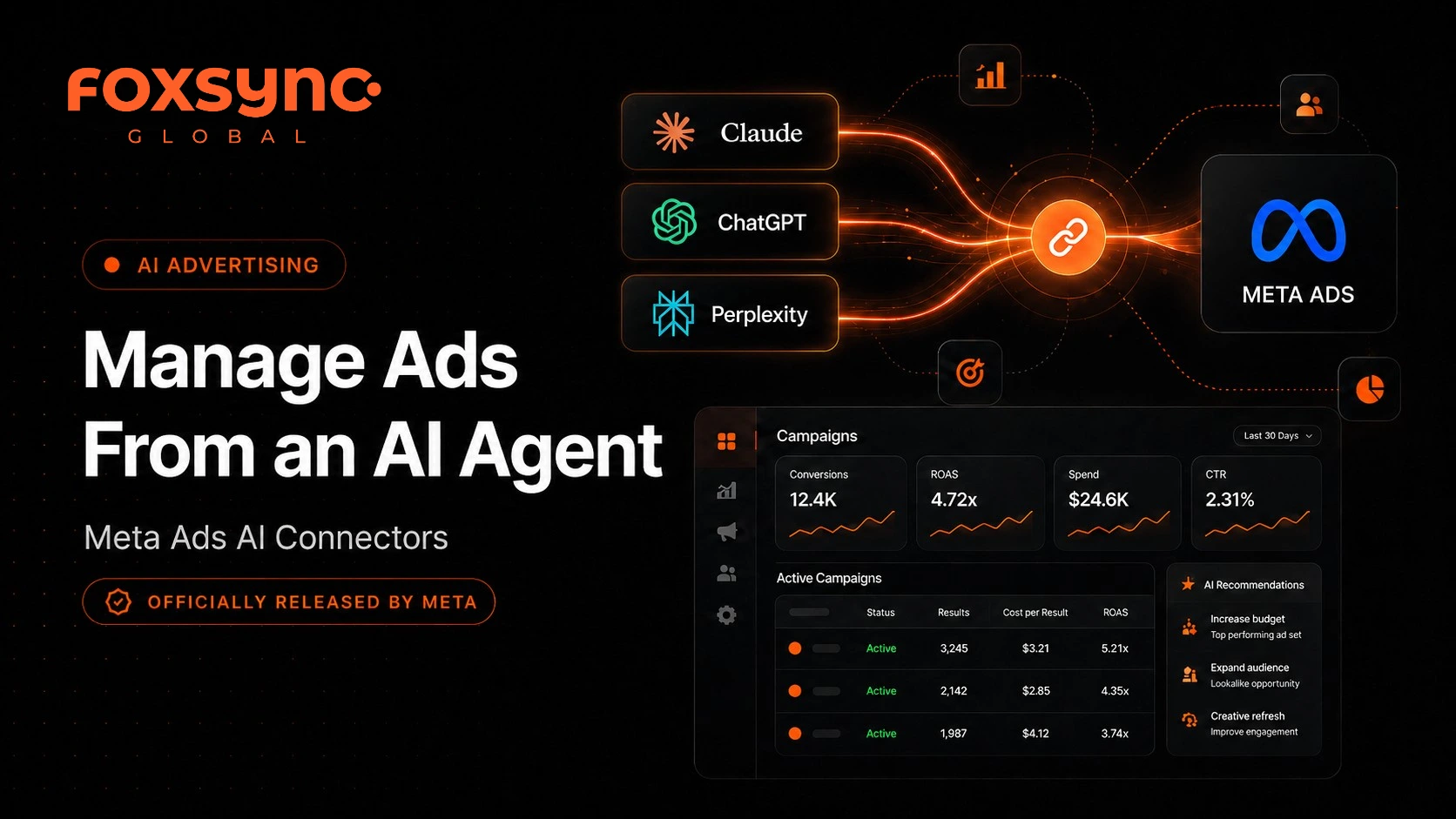
Manage Ads From an AI Agent With Meta Ads AI Connectors
AI is quickly changing how advertisers plan, manage, and analyze paid campaigns. One of the latest updates getting attention across social networks is Meta Ads AI connectors - a new way to connect Meta Ads with an AI agent and manage advertising tasks using natural language.
Instead of switching between dashboards, reports, campaign settings, and analysis tools, advertisers can now connect Meta Ads to supported AI interfaces and ask questions or request actions in plain English.
For brands, agencies, and performance marketers, this is not just another AI feature. It is a sign of where digital advertising is heading: faster analysis, smarter workflows, and more AI-assisted campaign management.
At Foxsync Global, we see this as an important shift for businesses that want better control over paid traffic, campaign performance, and advertising ROI.
What Are Meta Ads AI Connectors?
Meta Ads AI connectors allow advertisers to connect their Meta advertising account to an AI agent such as Claude, ChatGPT, or Perplexity, depending on the supported platform setup.
In simple words, you connect your Meta Ads account to an AI assistant, and then you can ask the AI to help with ad-related tasks.
Example prompts you can use:
- ›"Show me which campaigns had the highest cost per lead last month."
- ›"Find underperforming ad sets."
- ›"Summarize my campaign performance."
- ›"Help me review my product catalog."
- ›"Create a draft structure for a new lead generation campaign."
This can save significant time - especially for marketers managing multiple campaigns, ad accounts, creative tests, product catalogs, and performance reports.
Why This Is Trending Now
Meta Ads AI connectors are trending because they bring AI closer to real advertising workflows. Before this, many marketers used AI mainly for copywriting, strategy ideas, creative angles, or reporting summaries. But with AI connectors, the AI agent can work closer to the ad account itself - depending on the permissions given.
That means AI is moving from "content assistant" to "workflow assistant."
This matters because paid advertising is becoming more complex. Businesses are managing more campaign types, more creatives, more audience signals, more tracking requirements, and more performance data than ever before.
AI connectors can help reduce manual work, but they also require careful setup, permission control, and human review.
How Meta Ads AI Connectors Work
Meta uses an MCP server connection for this setup. MCP stands for Model Context Protocol - a bridge between an AI agent and an external system. In this case, the external system is Meta Ads.
The remote MCP server URL (https://mcp.facebook.com/ads) is used inside supported AI tools to connect the AI agent with Meta Ads. Once connected, the AI agent can request access to different Meta Ads tools and actions.
Permission options available:
Always allow
AI can use this tool without asking first.
Needs approval
You approve each action before it runs.
Blocked
AI cannot use this tool at all.
Custom
Fine-grained control per action type.
Recommendation: For safety, use "Needs approval" - especially when the tool can create, edit, or manage campaigns. This keeps a human in the loop before any real changes happen.
Step-by-Step Setup Guide Using Claude
The following steps walk through the full setup process for connecting Claude to Meta Ads using the MCP server connector.
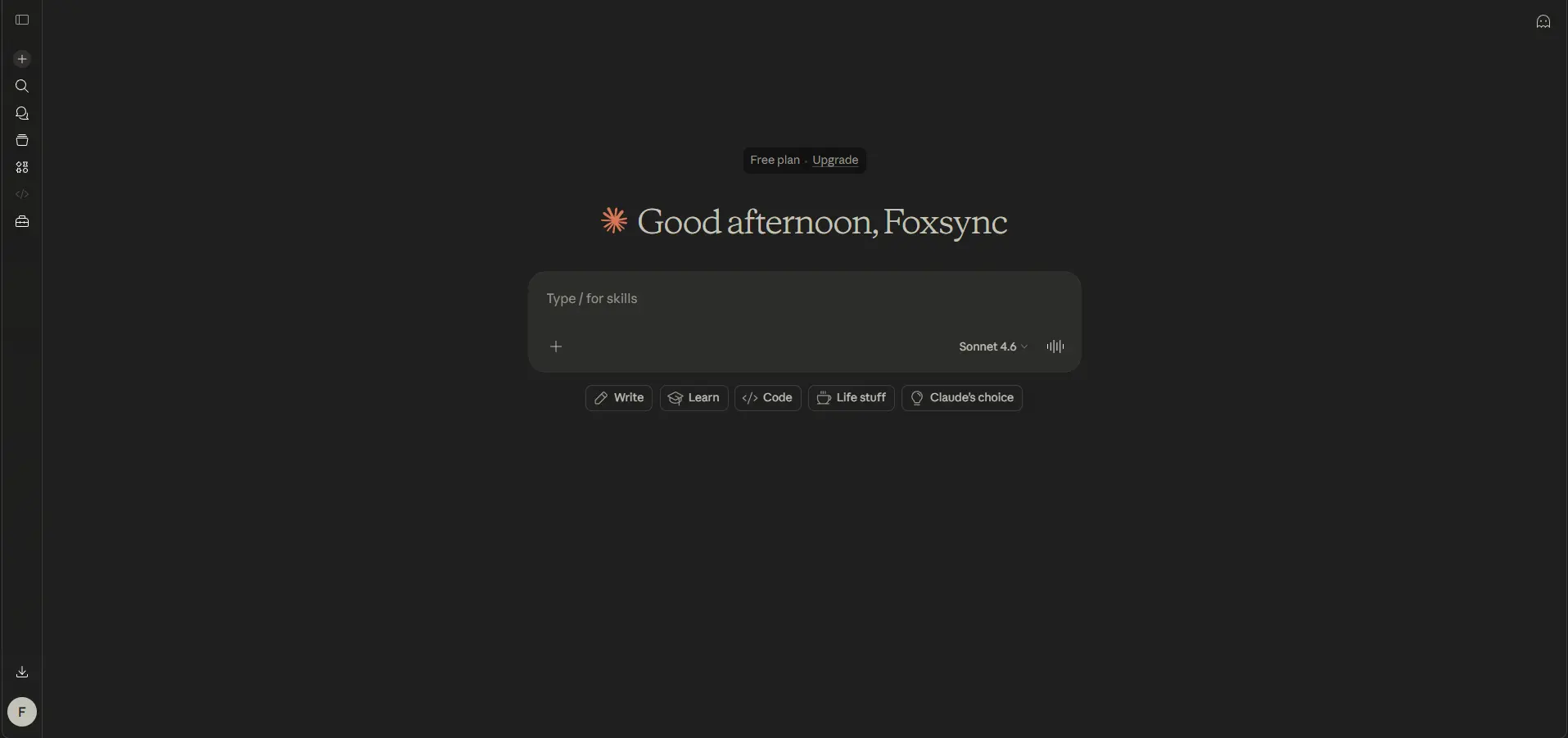
Step 1: Open Claude Dashboard
Start inside Claude and open the Customize section from the sidebar. This is where you can manage skills, connectors, and integrations.
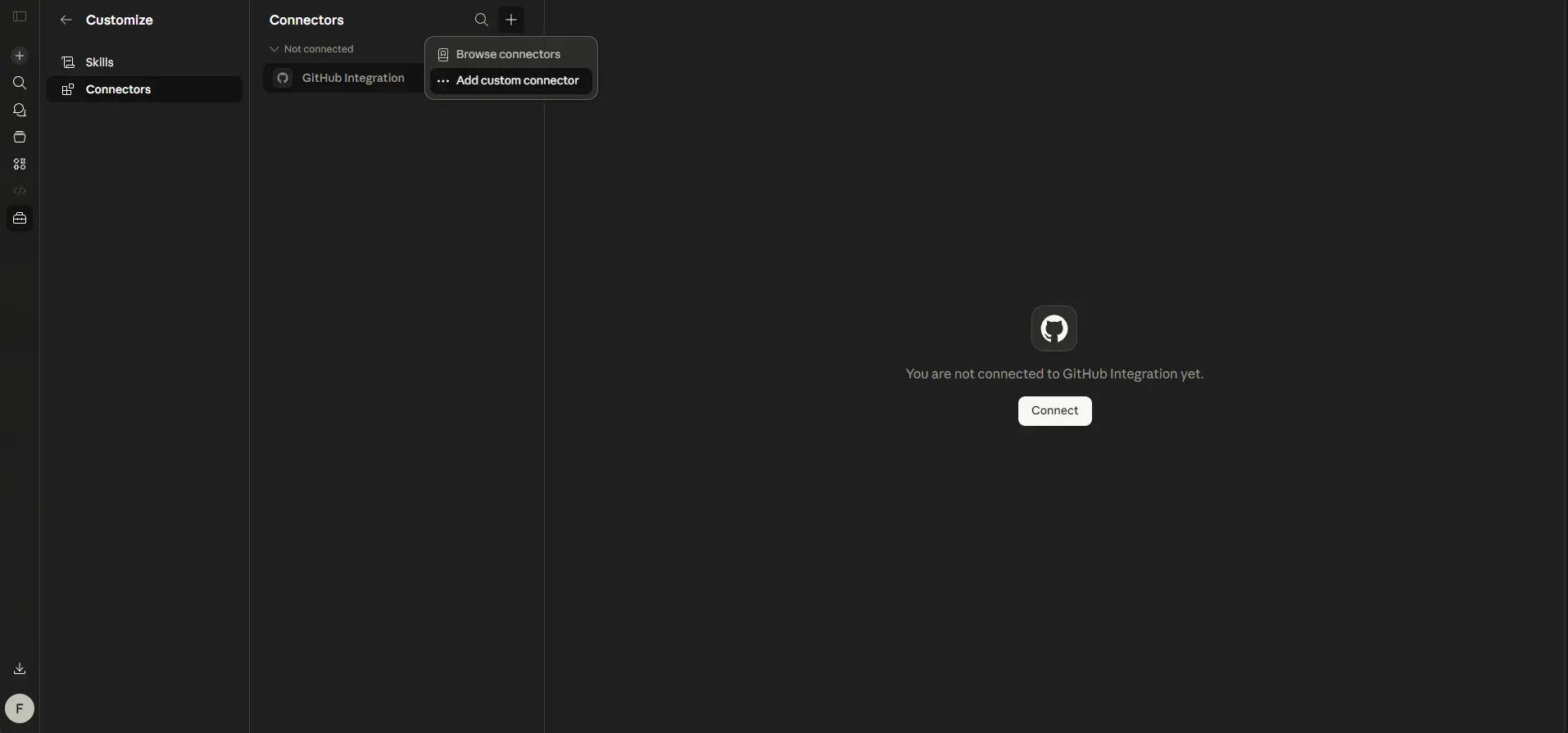
Step 2: Open the Connectors Page
Inside Customize, click Connectors. This is where Claude shows available and custom connectors. From here, you can manage existing connectors or add a new custom connector.
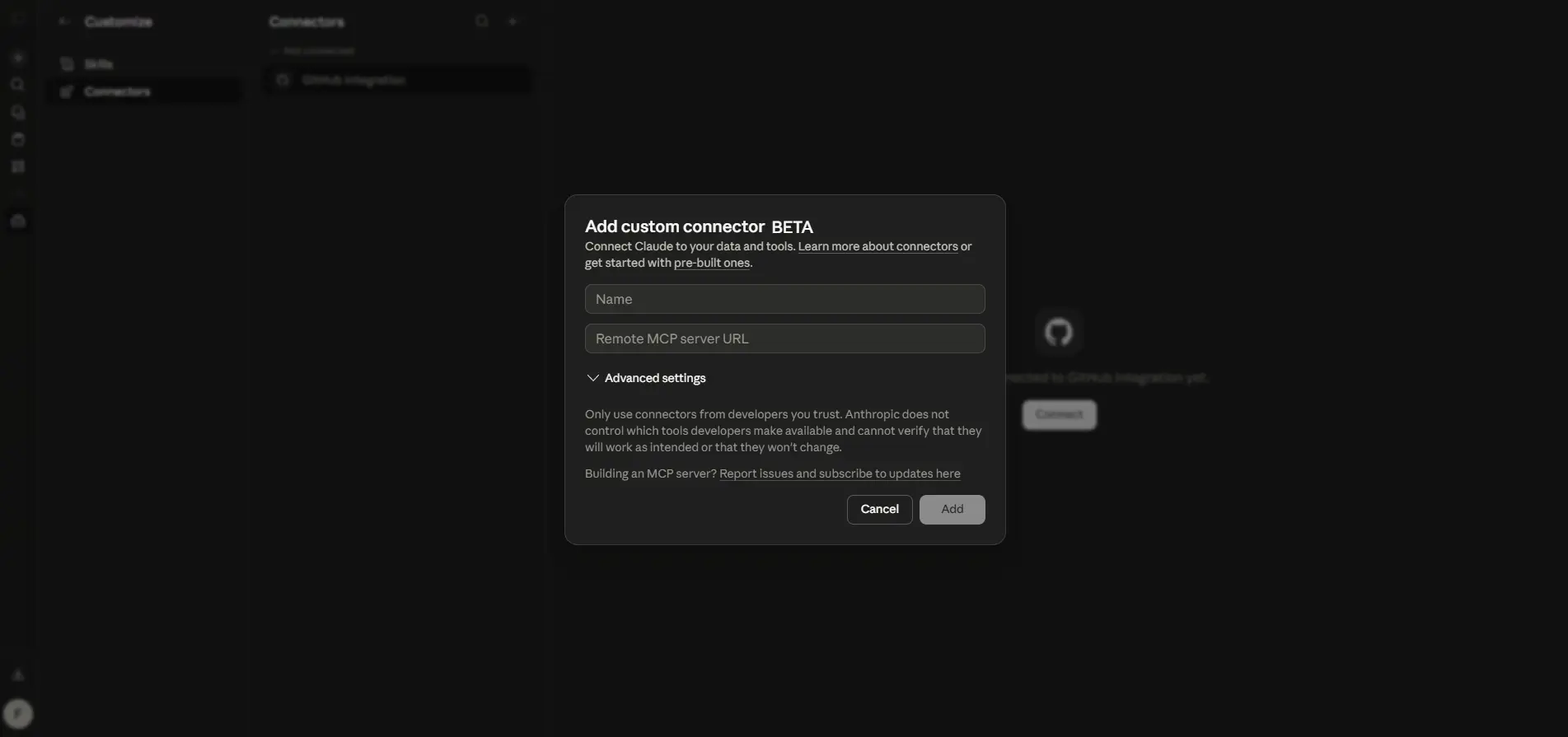
Step 3: Add a Custom Connector
Click the plus icon and select Add custom connector. Add a clear connector name such as Meta, then paste the remote MCP server URL provided by Meta.
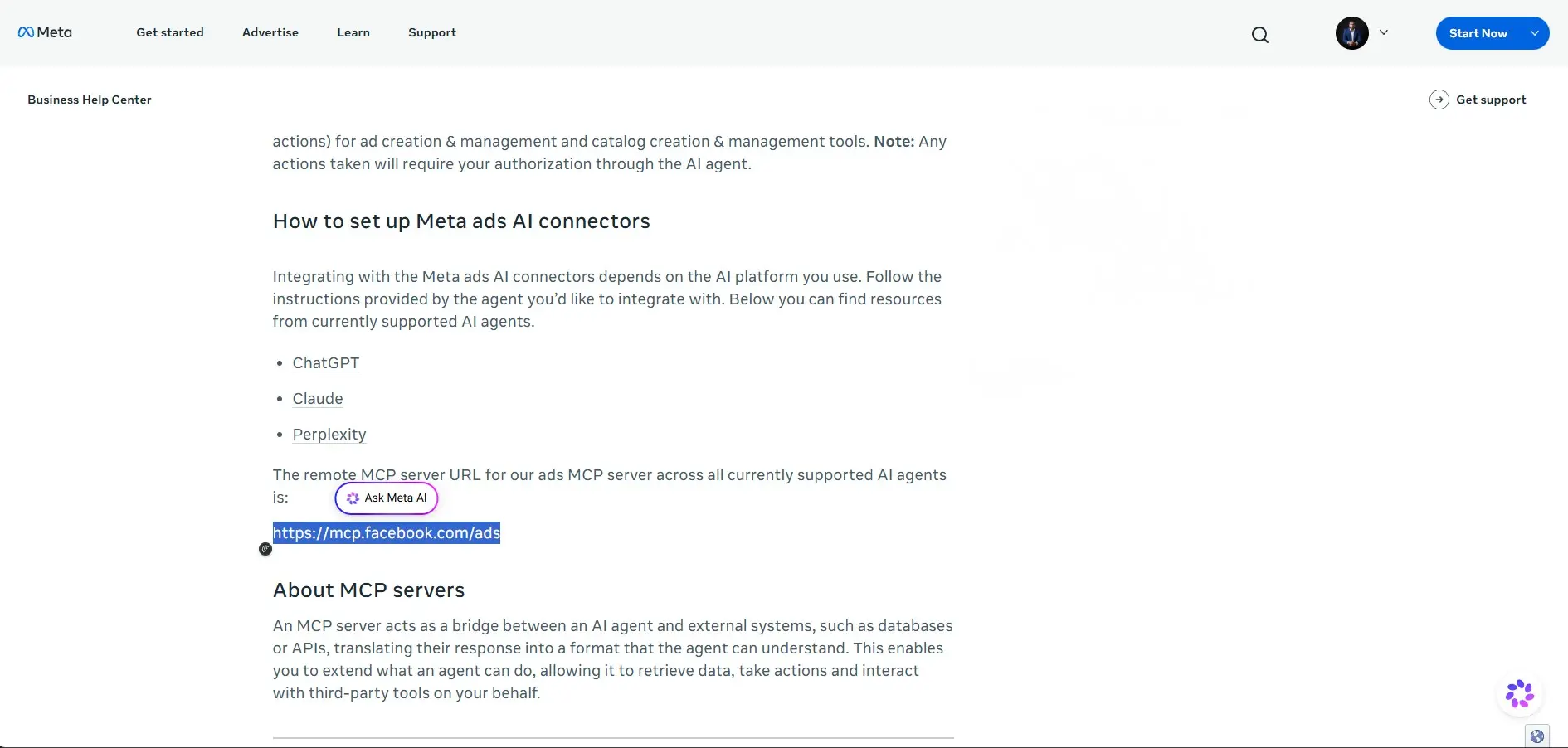
Step 4: Copy the Meta MCP Server URL
Use the Meta ads MCP server URL from Meta's setup guidance. The URL is https://mcp.facebook.com/ads - paste this into the Remote MCP server URL field in Claude to connect the AI agent to the Meta Ads MCP server.
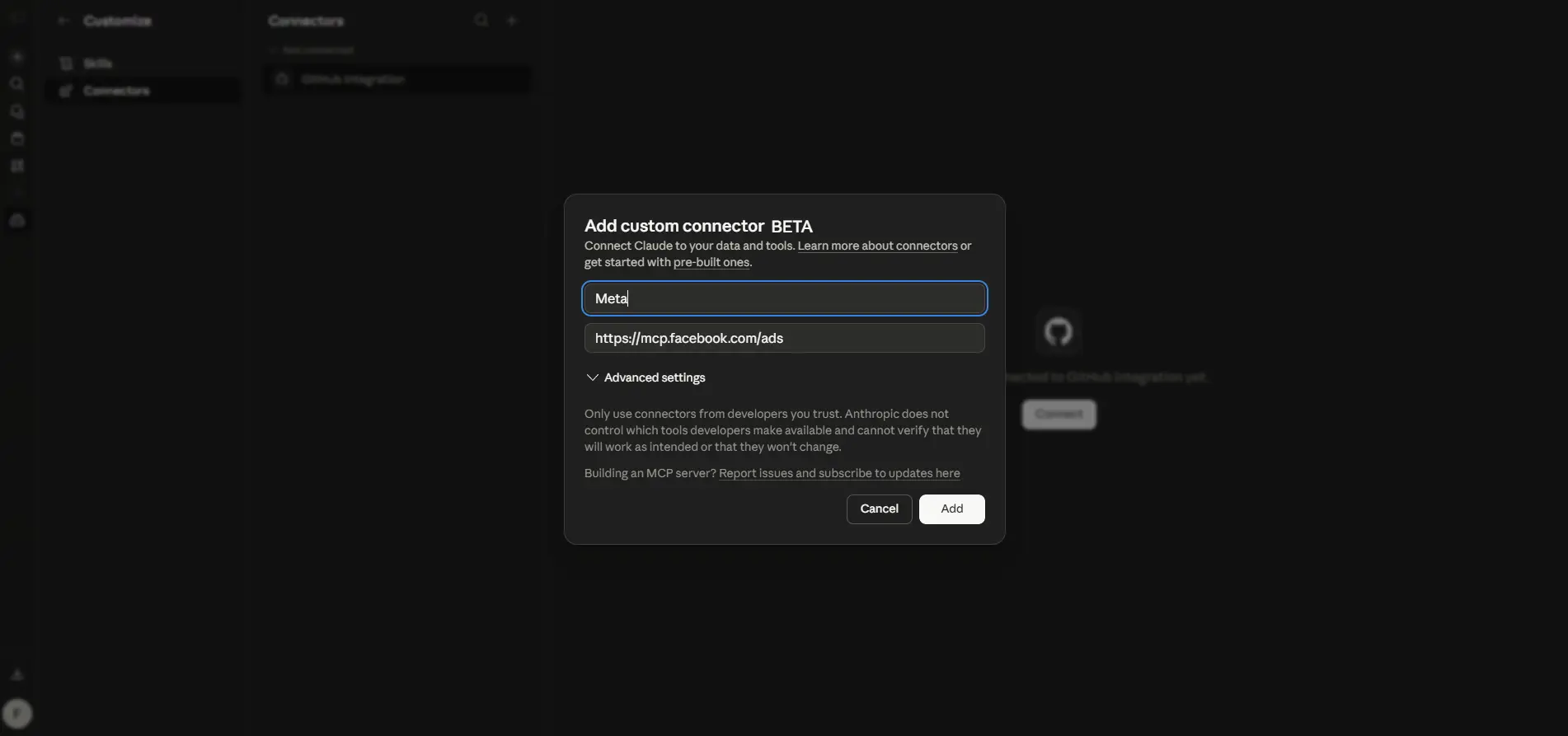
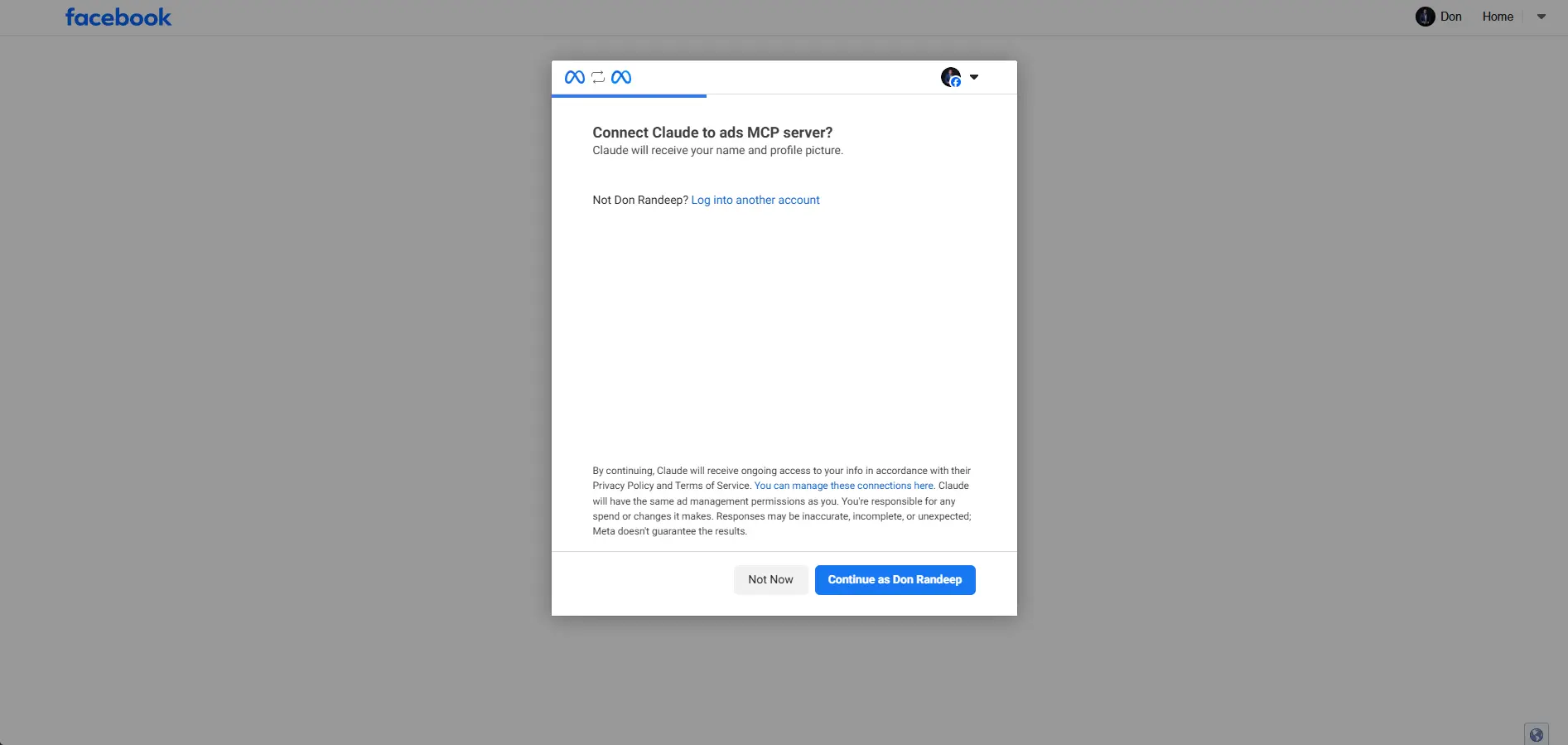
Step 5: Authorize the Connection With Facebook
After clicking Connect, you will be redirected to Facebook or Meta. Confirm that you are using the correct Facebook account before continuing.
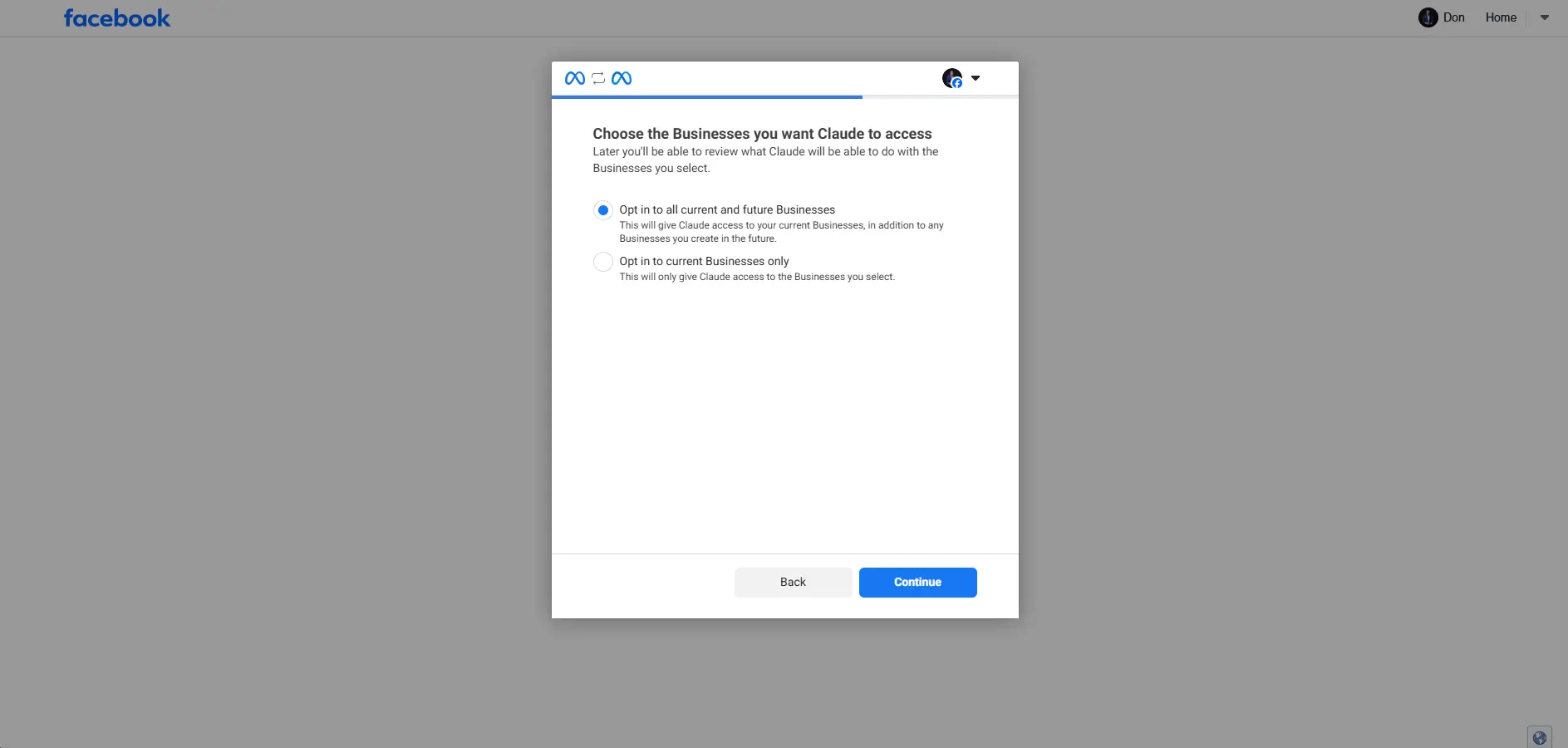
Step 6: Choose Business Access
Meta may ask whether you want the AI agent to access all current and future businesses or only selected businesses. For most advertisers and agencies, it is safer to give access only to the businesses you need.
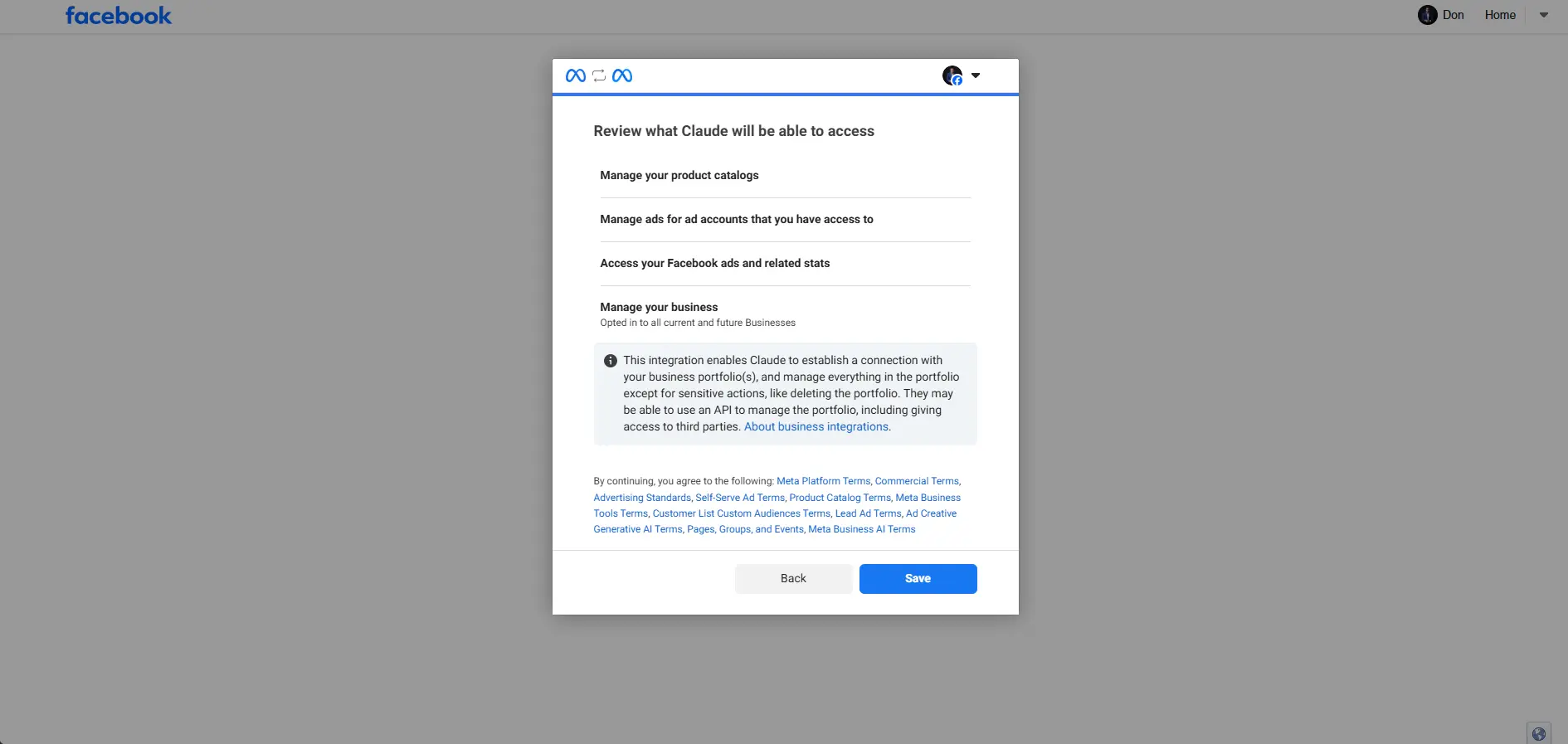
Step 7: Review What the AI Agent Can Access
Carefully review the permissions before saving. The connector may request access to manage product catalogs, manage ads, access ad stats, and manage business assets.
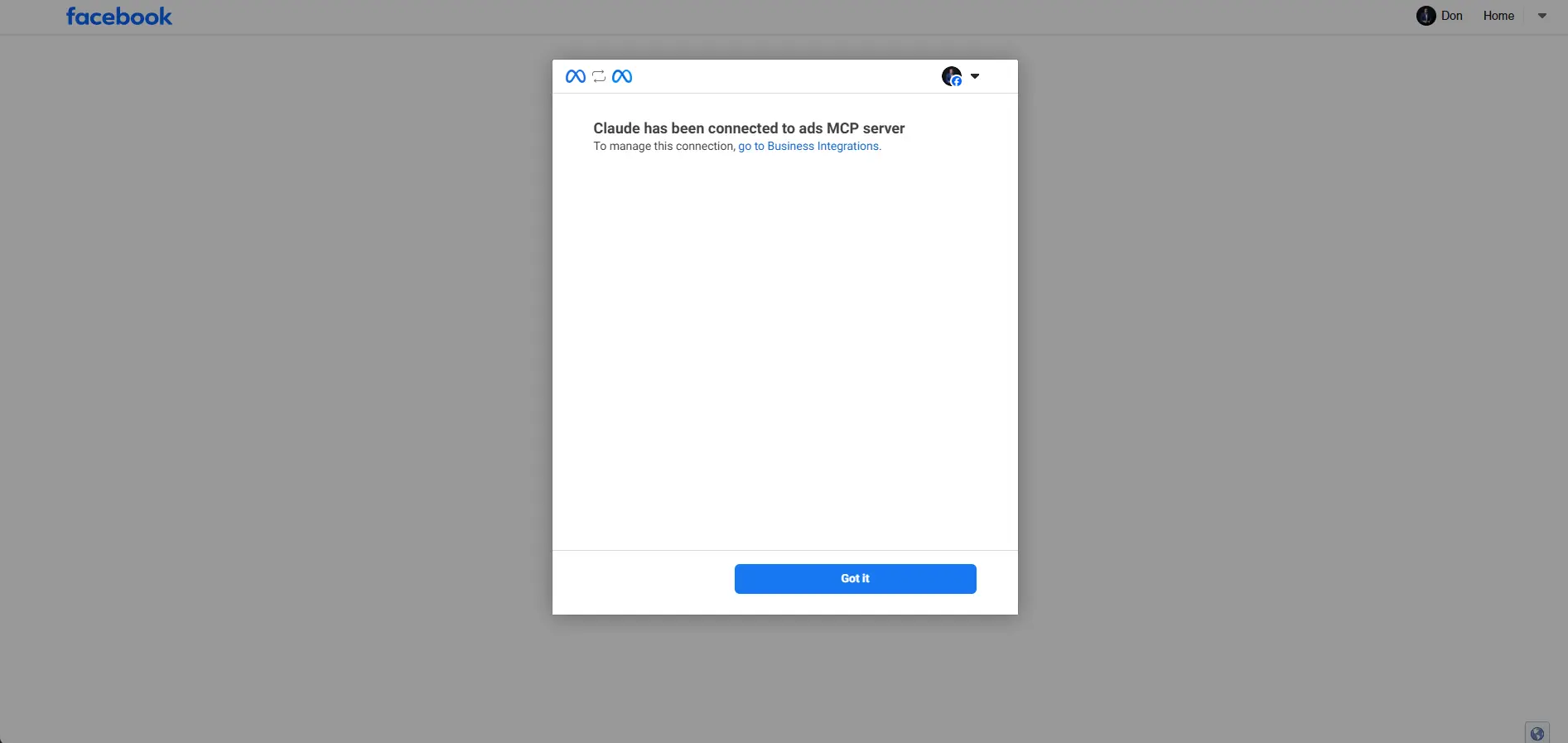
Step 8: Confirm the Connection
After saving, Meta may show a confirmation message that Claude has been connected to the ads MCP server.
Step 9: Check the Meta Connector in Claude
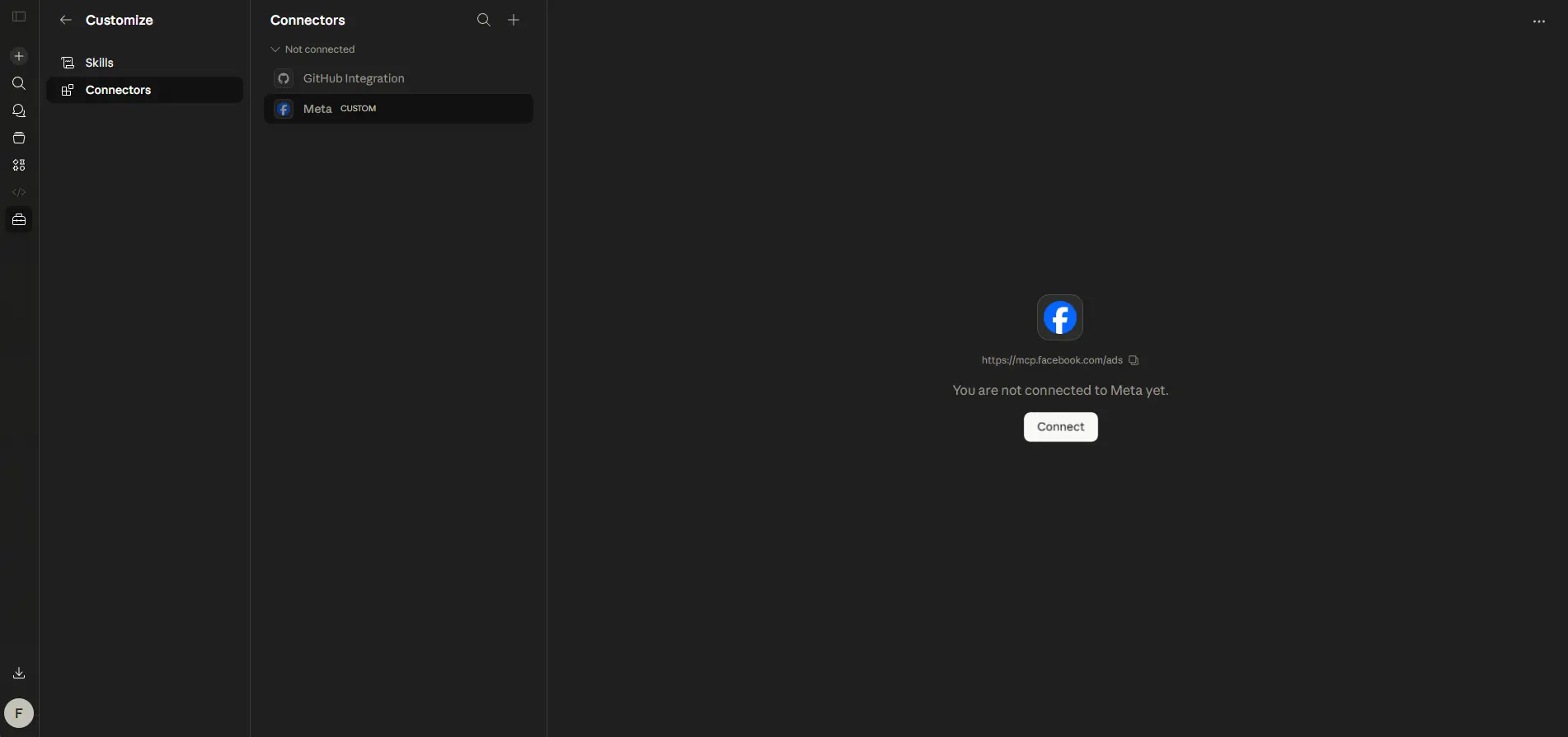
Go back to Claude and check whether Meta appears as a connected custom connector. This confirms that the AI agent can now access the available Meta Ads tools based on permissions.
Step 10: Open Tool Permission Settings
Claude allows you to control when the AI agent can use each tool. Options may include Always allow, Needs approval, Blocked, or Custom.
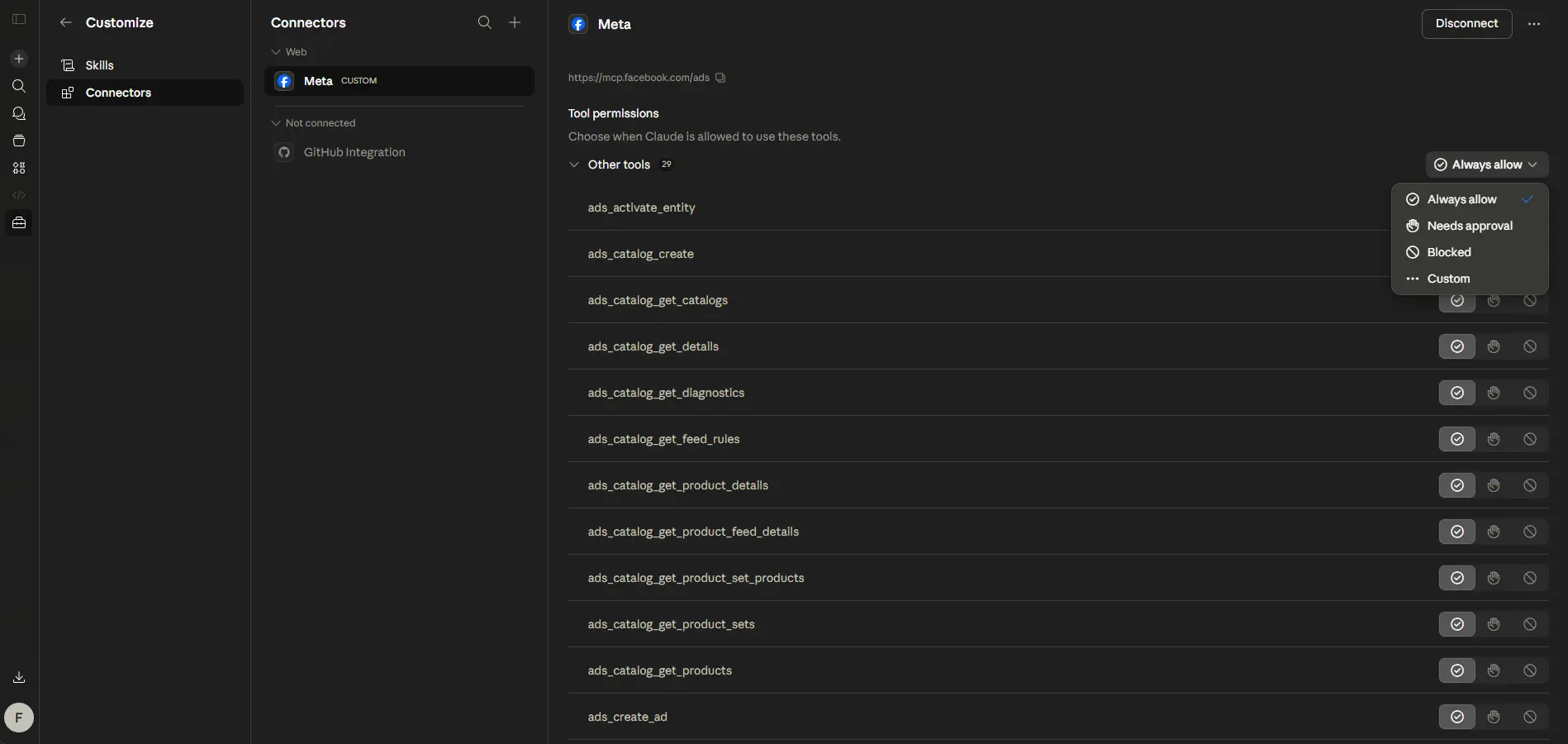
Step 11: Use Needs Approval for Better Control
For ad account safety, use Needs approval for most Meta Ads tools. This helps prevent accidental changes and gives you control before the AI agent takes any important action.
What Can You Use Meta Ads AI Connectors For?
Campaign Performance Review
Advertisers can ask the AI agent to summarize results, compare campaigns by key metrics, and identify weak areas - such as ad sets with high cost per lead or low click-through rates.
Ad Account Audits
AI can help review campaign structure, budget allocation, creative performance, and possible tracking gaps. This makes it faster to spot accounts that need optimization.
Creative and Copy Analysis
Advertisers can ask which ad angles, hooks, and creative types are performing best - helping prioritize future creative testing and ad spend.
Product Catalog Review
Ecommerce advertisers may use the connector to review product catalog information, depending on the access and available tools granted during setup.
Faster Reporting
Business owners can get simpler, plain-language explanations of performance without manually exporting data into spreadsheets or external reporting tools.
Important Safety Notes Before Using AI for Ads
AI connectors are powerful, but they should not replace human strategy. Paid advertising involves budgets, customer data, conversion tracking, brand messaging, and business goals. A wrong campaign change can waste money quickly.
Safety Checklist
What This Means for Businesses
For business owners, Meta Ads AI connectors show that the future of advertising will become more AI-assisted. But this does not mean every business should immediately automate everything.
The real advantage comes when AI is combined with:
- Clear campaign strategy
- Strong offer positioning
- Accurate conversion tracking
- Landing pages built for conversion
- Regular performance optimization
- Human review and decision-making
Many businesses run ads but their tracking is weak, their landing page does not convert, or they do not know which campaigns are producing qualified leads. AI tools cannot fix these problems - they can only amplify what already exists.
Foxsync Global's View: AI Is Helpful, But the System Still Matters
At Foxsync Global, we help businesses turn paid traffic into qualified leads, sales, and measurable ROI. Tools like Meta Ads AI connectors can improve speed and workflow, but they work best when the foundation is already strong.
That foundation includes:
AI can support the process, but it cannot fix a broken funnel by itself. If campaigns are not converting, the problem may not be the AI tool. It may be the offer, landing page, tracking, audience, creative testing, or campaign structure.
Should You Use Meta Ads AI Connectors?
You should consider testing Meta Ads AI connectors if you match most of the points below:
But if you are new to paid ads, first make sure your campaign structure, conversion tracking, and landing pages are properly set up before adding AI tools to the mix.
Final Thoughts
Meta Ads AI connectors are a major step toward AI-assisted advertising management. They can help marketers analyze campaigns faster, reduce manual work, and interact with ad accounts through natural language. But they should be used carefully - especially when permissions allow ad creation or account changes.
The future of performance marketing will not be only AI or only human. The best results will come from combining AI speed with human strategy.
For businesses, the real question is not just: "Can AI manage my ads?"
The better question is: "Is my full advertising system ready for AI-assisted growth?"
At Foxsync Global, we help businesses build that system - from paid traffic and tracking to landing pages and conversion-focused optimization.
Frequently Asked Questions
What are Meta Ads AI connectors?+
Meta Ads AI connectors allow advertisers to connect their Meta advertising account to an AI agent such as Claude, ChatGPT, or Perplexity using Meta's official MCP server. This lets you manage ad campaigns, review performance, and analyze results using natural language.
Can AI agents manage Meta Ads?+
Yes, AI agents can be connected to Meta Ads via AI connectors using Meta's MCP server. They can review campaigns, analyze performance, and assist with ad management tasks. However, human oversight and approval settings should be used for any changes that affect budgets or campaign settings.
What is Meta's MCP server?+
Meta's MCP server (Model Context Protocol server) is a remote server at https://mcp.facebook.com/ads that allows supported AI agents to connect directly to a Meta Ads account. It acts as the technical bridge between the AI agent and the Meta Ads platform.
Can Claude connect with Meta Ads?+
Yes. Claude supports custom connector setup via its Connectors settings. You can add Meta as a custom connector by pasting the Meta MCP server URL (https://mcp.facebook.com/ads) into the Remote MCP server URL field. Once connected, Claude can interact with your Meta Ads account based on the permissions granted.
Are Meta Ads AI connectors safe to use?+
They can be safe if set up correctly. The key is to use "Needs approval" for important tools, limit business account access to only what is needed, and review every AI-suggested action before it is applied. Do not grant full access unless you understand the permissions involved.
Should businesses use AI to manage ads?+
AI can help businesses analyze campaigns faster and reduce manual work, but it should not replace human strategy. The best results come from combining AI speed with human judgment - especially for campaign structure, offer positioning, conversion tracking, and landing page performance.
Tags
Free Audit
Want to Know If Your Ads Are Ready for AI-Assisted Growth?
Get a Free Audit from Foxsync Global and discover where your ad spend may be leaking, what tracking gaps need fixing, and how to build a stronger conversion system across Meta Ads, Google Ads, landing pages, and analytics.